
Polydish support
Help & getting started
Short answers about rolling, planning the week, the shopping list and your own dice. Can't find it? Write to us.
Getting started
All answers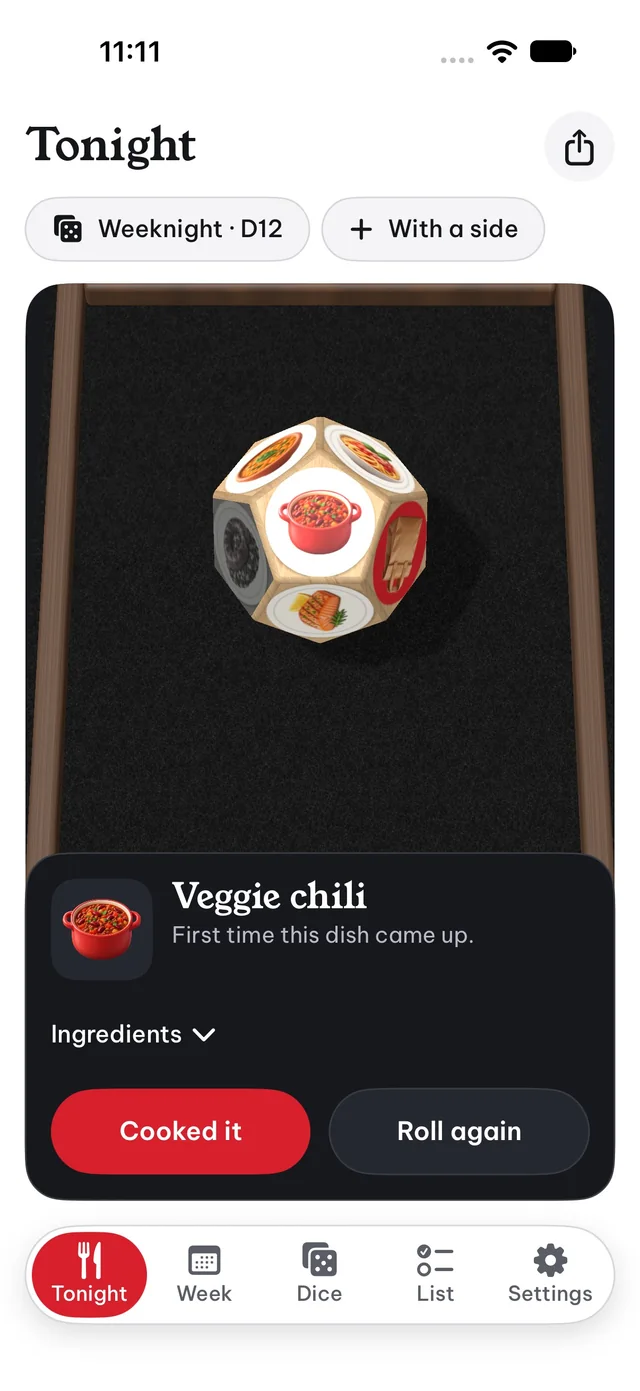
Popular topics
 Rolling & jokersFlick, tap, shake and the four joker faces
 Week planLocks, re-rolls and starting a new week
 Shopping listAisles, amounts and your own items
 Dice & dishesNew dice, your own dishes, two faces
 MaterialsWhen glass, metal and neon open
 Reminders & settingsNotifications, sound and starting over
Answers
Open Tonight and pick a die with the chip under the title. Tap Roll, flick the die, tap it for a hop or shake your phone if Shake to roll is on in Settings. When the die stops, the dish on top appears with a fact and its ingredients. Tap Cooked it once you've made it, or Roll again for another dish.
Turn on With a side next to the die chip. A second die, Sides, rolls together with the main one. For a planned day, open it in Week and tap Roll a side.
Jokers sit on the free faces of a die. Order in gives the kitchen a night off. Re-roll throws the die again by itself. New dish shows three ideas from our catalog that you can cook or add to the die. Partner's pick hands the phone to someone else, who picks a dish from the die or types their own.
You can switch jokers off on the die card in the Dice tab.
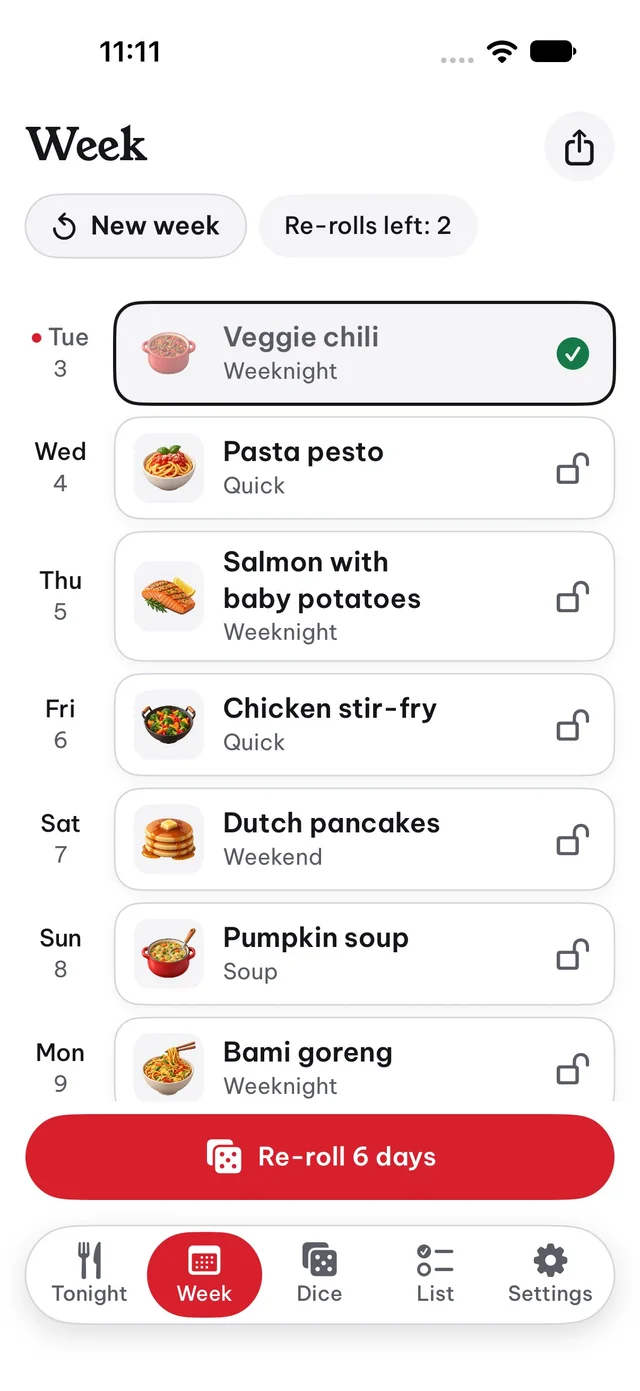
Roll the week throws seven dice at once for the seven days starting today, or tomorrow if today is already cooked. Lock the days you like with the lock icon, then use Re-roll to change the others. You get two re-rolls per week.
Tap a day to choose its die, roll a side, pick a dish yourself or mark it as cooked.
New week replaces every day that isn't cooked yet. Cooked dinners stay in your dinner log. If some days are still open, Polydish asks before it starts over.
Dishes are written for two people. The list scales every amount to People at the table in Settings, from 1 to 8, and adds up the same product across days. Items are grouped by store aisle.
Yes. Tap an item to check it, use Clear checked to remove checked items, swipe an item away, or tap + to add your own. Each removal can be undone. Share sends the list as text.
In the Dice tab tap +, give the die a name of up to 24 characters and tap Create. Then open its menu and choose From our dishes to pick from 74 dishes, or New dish to write your own with an icon and up to 30 ingredients.
The shape follows the number of faces in use: D4, D6, D8, D10, D12 or D20. Adding a dish or giving one a second face with the stepper can grow the die to the next shape. A dish on two faces comes up twice as often.
When the same dish gets a thumbs down twice in a row, Polydish suggests three other dishes for that face. Pick one with Swap or tap Keep it. A swap can be undone right after.
Cook dinners. Glass opens after 5, metal after 15 and neon after 30. A dinner counts when you tap Cooked it for today or a past day. Dice → Materials shows your progress and lets you use a material on all dice.
Go to Settings → Notifications. The reminder arrives at 4:30 pm with the dish planned for that day. If notifications are blocked in iOS, Polydish shows a button that opens iOS Settings.
Settings → Reset everything removes all dice, plans, ratings and the list after you confirm. This can't be undone. To see the tips again without losing anything, use Show tutorial again.
Only on your iPhone. Polydish has no account and no server, and works offline. Deleting the app removes its data. Details are in our Privacy Policy.
No answers match your search. Write to us at support@polydish.info.
Still need help?
Write to support@polydish.info and we'll get back to you by email.